


ViewCaller: Caller ID & Block
4.3148.00 Reviews
App Specs
- Version
- Varies with Device
- Updated On
- License
- Free
- Downloads
- 1,000,000+
- Developer
- Tap AI
- Categories
- Communication
- Platform
- Android
Screenshots
 Analysis by AppCompare
I judge a caller ID app by a simple test: does it help me make a better decision when an unfamiliar number appears, without turning call management into another chore? ViewCaller: Caller ID & Block aims to do that with caller identification and spam blocking. Its appeal is practical rather than flashy, though how useful it feels depends on whether its information matches the calls you actually receive.
Who gets the most from caller screening
I can see this helping someone who regularly gets unsolicited calls but still needs to answer numbers they do not recognize. Think of a day when you are expecting a delivery or a callback from a clinic: being able to check an unfamiliar caller before deciding whether to pick up is more useful than simply silencing every unknown number. The trade-off is that caller labels are guidance, not a guarantee. I would still use judgment when a call matters, especially if I am waiting for something time-sensitive.
It also suits people who would rather make decisions from a recent-call list than keep searching the web for every mystery number. A lookup can be a quick first check, while blocking is more useful when the same unwanted caller keeps returning. If your calls are mostly from saved contacts, or you rarely receive spam, the extra screening may not change much about your day. In that case, the phone’s built-in call controls could be enough.
How it fits alongside ordinary phone tools
Compared with relying only on a phone’s built-in blocking, ViewCaller puts identification and spam handling together in one place. That can save a step when a caller is unfamiliar and you want context before acting. The built-in option, on the other hand, may be preferable if you want fewer apps involved in call handling or only need to block a handful of known numbers. I would not install a separate caller ID app just for novelty; the benefit depends on having a real screening problem to solve.
There is also a difference between blocking a known number and trusting an automatic filter. Manual blocking gives you more control, while automatic blocking can reduce interruptions without asking you to judge every report yourself. But a reported number is not the same thing as a caller you personally recognize as unwanted. If you rely on calls from new businesses or service providers, I would review how aggressive the filtering feels before treating it as a set-and-forget solution.
Small habits that make screening more useful
One practical approach is to treat caller ID as a first pass, then use the blocklist for numbers you have decided you do not want to hear from again. That keeps a single uncertain label from becoming a permanent block by default. If you are expecting a callback, check the recent-call details before returning it; a reverse lookup can offer a clue, but it should not replace common sense about sharing personal information or calling back a number you do not trust.
I would also think about the difference between reducing interruptions and never missing a call. Automatic blocking is convenient, but convenience has a cost if a legitimate caller is misidentified or caught by a broad rule. Someone who depends on calls for work, appointments, or family should be more cautious than someone who mainly wants fewer interruptions during leisure time. In practical terms, the right setup is the one that makes spam less intrusive without making important callers harder to reach.
Worth Reading Before You Choose

EA SPORTS FC Mobile 26 Is a Bigger Football Game, but It Takes Time

Flipboard Shows What News Apps Must Do Beyond the Feed

Switching to Android Auto Means Rethinking Your Driving Routine

Google Calendar Makes a Crowded Week Easier to Manage

Ludo King Makes the Most of the Minutes Between Plans

Baby Panda World Brings Quick Play to Modern Phones, but Its Game Library Feels Busy
For Android users considering the app, it is free to download, with in-app purchases ranging from $2.99 to $39.99 per item. It is rated for Everyone and requires Android 10 or later. Those details make the basic decision straightforward: check compatibility first, then decide whether the screening tools are worth exploring. I would not assume that paying for an item is necessary to get value from the app; the sensible choice is to start with the call-management needs you actually have.
First Impressions and Setup
Right from the get-go, ViewCaller impresses with its clean and intuitive interface. Setting it up is a breeze. After downloading, the app guides you through the setup process with clear instructions. You need to grant a few permissions, of course, but nothing out of the ordinary for an app that's going to manage your calls.
Caller ID Features
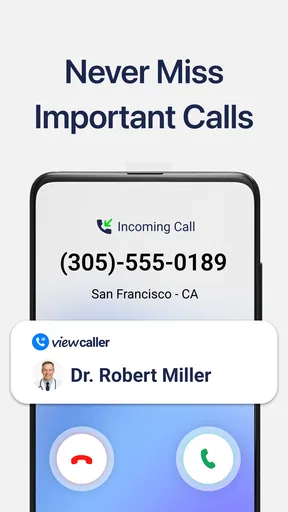
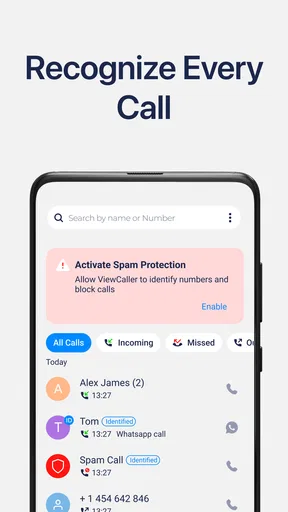
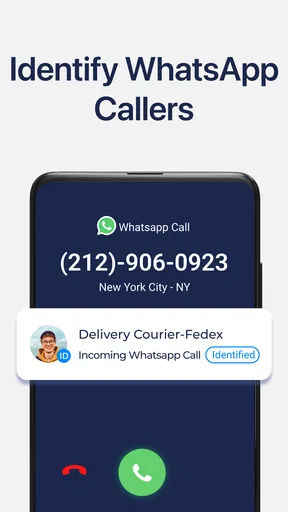
Once you're up and running, the caller ID feature kicks into action. The app taps into a vast database to identify incoming calls, and I must say, it’s surprisingly accurate. I’ve had it identify calls from local businesses, which was super helpful. The information pops up quickly, giving you a few moments to decide whether to pick up or let it go to voicemail.
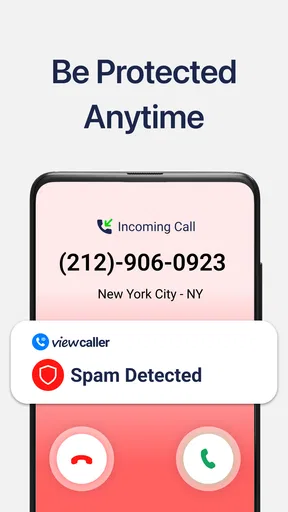
One feature I particularly appreciate is the detailed caller info. It doesn't just display a name; sometimes, it gives you extra details like location and whether the number has been reported as spam by other users. This level of detail has helped me dodge more than a few telemarketers.
Blocking Unwanted Calls
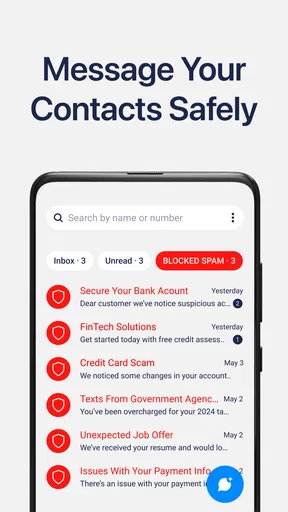
Spam calls are the bane of modern existence, right? That’s where the blocking feature of ViewCaller shines. You can block numbers manually or let the app do its thing automatically based on spam reports from other users. I opted for the automatic blocking, and it’s been a game changer. My phone rings far less with those pesky robo-calls.
For those of you who like a tailored experience, the app allows for creating a blocklist. You can add specific numbers or even block entire area codes if you're feeling particularly vigilant.
User Interface and Experience
Let’s talk about the user experience. The app’s layout is pretty straightforward. You’ve got your main screen showing recent calls with caller info neatly displayed. Navigating through the app is smooth, and the settings menu is laid out with simplicity in mind. Even if you're not tech-savvy, you’ll find your way around easily.
One small thing I noticed is that the app doesn't seem to slow down my phone, which is a relief. Some apps of this kind can be resource hogs, but ViewCaller runs efficiently in the background.
Additional Features
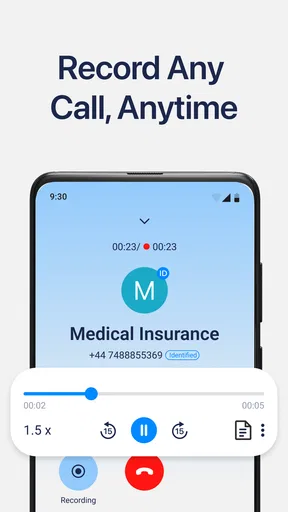
While the caller ID and blocking features are the main attractions, the app packs a few extras. There’s a call recorder feature that I found handy for keeping track of important conversations. It’s simple to use, and the recordings are easy to access and manage.
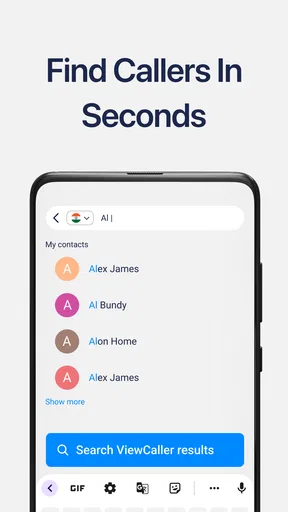
Another neat feature is the reverse number lookup. If you’ve got a number you’re curious about, you can enter it into the app and find out who it belongs to. It’s a nifty tool that saved me from returning a call to a persistent telemarketer.
What to expect from its reputation
Tap AI develops this communication app, which has been available since April 17, 2018. It has a 4.2 average from around 33,000 ratings, and more than a million installs. Those figures suggest that it has reached a substantial audience, but they do not tell me whether its caller information will be accurate for every region or every number. I would judge it by the calls it identifies for me, rather than treating a crowd rating as a promise of perfect screening.
For a new user, the most useful first check is whether the labels make sense for familiar local businesses and recurring callers. If the app gives helpful context in the situations you encounter, its main purpose is being met. If the information is inconsistent for the numbers you care about, a phone’s built-in controls may be the less distracting choice. That is a more useful test than expecting any caller ID service to recognize every number correctly.
Final Thoughts
All things considered, ViewCaller: Caller ID & Block is a solid choice if you’re looking to regain control over your incoming calls. It’s user-friendly, effective, and doesn’t bog down your device. While no app is perfect, and there may be the occasional hiccup in caller ID accuracy, the pros far outweigh the cons here.
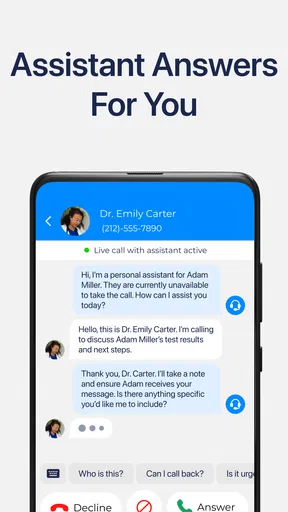
So, if you’re tired of dodging unknown numbers or dealing with spam, give ViewCaller a shot. It's like having a personal assistant screening your calls, and who doesn't need a little extra help these days? I’d recommend trying it if unknown callers are a regular nuisance and you are comfortable balancing automatic filtering with your own judgment. If you rarely get unwanted calls, prefer not to grant a call-management app the access it needs, or cannot risk a legitimate call being screened incorrectly, stick with your phone’s basic tools instead.
Pros
- Accurate caller identification feature.
- User-friendly interface with easy navigation.
- Efficient call blocking to reduce spam.
- Customizable settings for notifications.
- Minimal impact on battery life.
Cons
- Some ads may interrupt the user experience.
- Limited database for international numbers.
- Occasional lag in call identification.
- Premium features require a subscription.
- May not work well on older devices.
FAQs for ViewCaller: Caller ID & Block
What is ViewCaller: Caller ID & Block?
ViewCaller: Caller ID & Block is an app designed to enhance your calling experience by identifying unknown callers and blocking unwanted calls. It provides real-time caller ID information, helping you avoid spam and telemarketing calls. Additionally, you can manage your call history and customize your block list for a more personalized experience.
Is ViewCaller free to use?
ViewCaller offers a free version with basic features like caller ID and call blocking. However, it also provides a premium version with advanced features such as ad-free usage, detailed caller info, and priority customer support. Users can choose between monthly or yearly subscription plans to access premium features.
How does ViewCaller protect my privacy?
ViewCaller prioritizes user privacy by ensuring that it does not sell or share your personal data with third parties. The app uses secure connections to manage caller information and blocks spam calls. Additionally, users have control over their data and can manage permissions from the app settings, ensuring a secure user experience.
Can I customize which calls are blocked?
Yes, ViewCaller allows you to customize your call block settings. You can manually add numbers to your block list or choose to block categories like telemarketers or unknown numbers. The app also updates its database regularly to include new spam numbers, providing an effective blocking solution.
Does ViewCaller work offline?
ViewCaller relies on internet connectivity to access its database for caller identification and spam updates. While some features, like call history, can be accessed offline, real-time caller ID and updates for blocking spam numbers require an active internet connection for optimal performance.


